pianazo

0 Tonight, in your living room

Your first concert starts with one key.

pianazo teaches piano through songs you already know: coloured notes that fall, a key that lights up and waits for you, and up to three stars when you get there. Ages 8 and up, and adults who are just starting.

Get it on Google Play
Upright piano Computer keyboard: A S D F G H J K

In a nutshell

What is pianazo?

pianazo is an app to learn to play the piano with songs, made for children aged 8 and up and for adults starting from scratch.

It works on Android phones and tablets; the iPhone and iPad version is coming soon. You play on the on-screen keyboard, on a digital piano connected over USB or Bluetooth MIDI, or on an acoustic piano through the microphone.

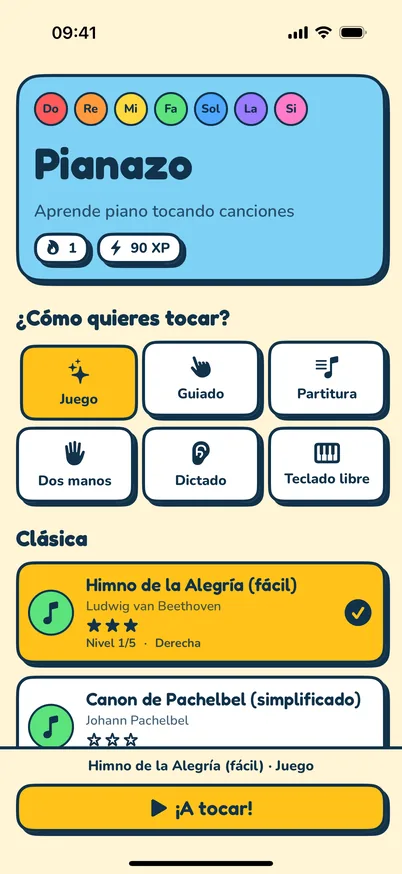
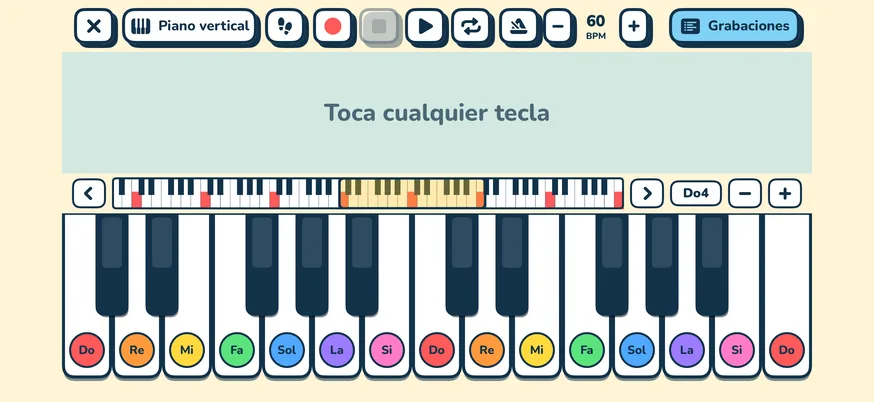
There are six ways to practise: Game (a rain of coloured notes), Guided (a key that lights up and waits), Sheet music, Two hands, Ear training and Free play with a recorder.

It has no ads, needs no account to use (a parent account is optional), and microphone sound is analysed on the device itself. It is made by Codelabs Studio S.L., a company based in Málaga (Spain), and it is now available on Google Play.

Who it is for
Children aged 8 and up, and adult beginners
Where
Android phones and tablets (Android 8 or later); iPhone and iPad (iOS 17 or later) coming soon
How you play
On the screen, on a digital piano (USB or Bluetooth MIDI) or on an acoustic piano with the microphone
Modes
Game, Guided, Sheet music, Two hands, Ear training and Free play with a recorder
Songs
24 public-domain or original songs: children’s songs, classical, carols and Albéniz
Sounds
15 instruments, with sustain pedal and room reverb
Privacy
No ads, no third-party analytics, no account needed (an optional parent account syncs progress); the microphone is processed on the device
Availability
Available on Google Play
I Act one

Listen and repeat

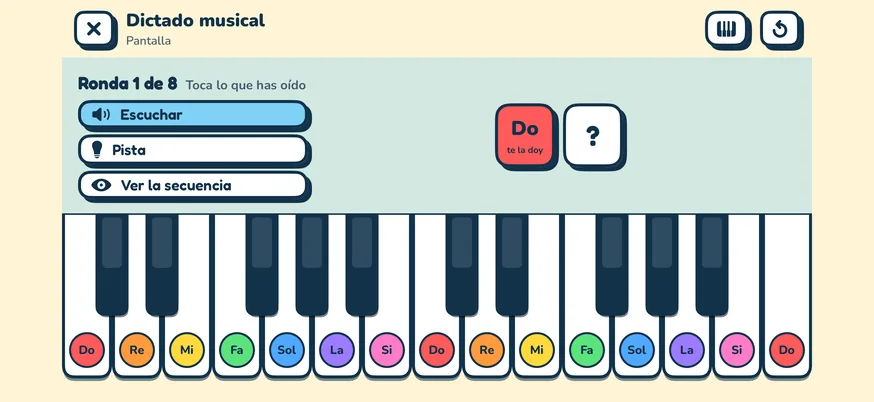
The app’s ear-training mode: a short phrase plays and you play it back by ear. It starts with 2 notes and grows to 5 as you get them right. The first note is on us.

  • Listen plays the phrase again whenever you want, with no penalty.
  • Hint marks the keys still missing (in no particular order) and shows the rhythm in the boxes.
  • Show the sequence reveals every note, and the round becomes practice.
  • Miss a note and you go back to the first one. The phrase never replays on its own: you decide when to hear it again.
Ear training screen on iPhone: round 1 of 8, Listen, Hint and Show the sequence buttons, and the first box showing C.
Real screenshot Ear training on an iPhone: eight rounds per session.
Ear training
Round 1 of 8 Press “Start” and listen
Notes:

II Act two

Seven instruments, seven stages

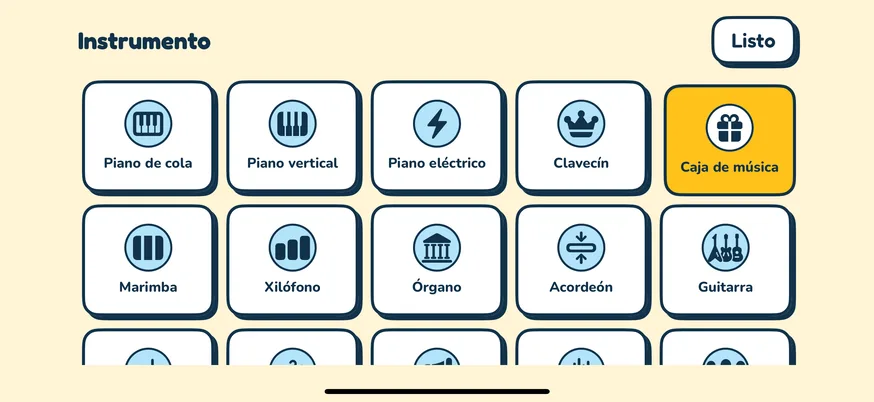
Pick a sound and the room changes with you: velvet for the grand piano, neon for the electric, candlelight for the harpsichord. Whatever you choose here plays across the whole page, including the piano at the top.

The app has fifteen sounds, a sustain pedal and three rooms (off, bedroom and concert hall). These seven use the app’s real samples.

Real clip Free play on iPhone: from upright piano to music box.

III Act three

Record it slowly, hear it at tempo

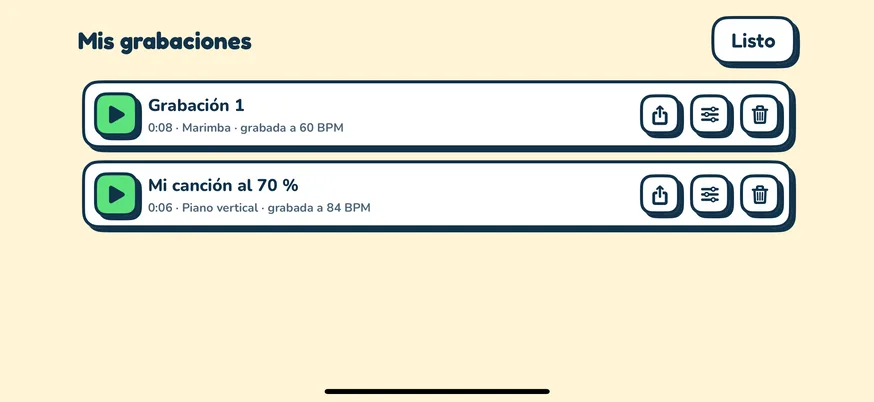
The musician’s trick: play it slowly until it comes out clean. The recorder keeps your take and plays it back at any speed from 50 % to 200 %, without changing the original recording.

  • Press Record and play: recording starts with your first note.
  • Move the speed slider and press Play.
  • Not in the mood to play? Load the sample take: Ode to Joy recorded at half tempo.
My recordings screen on iPhone, with takes, play, export and delete.
Real screenshot My recordings: speed, playback tempo and MIDI export.
The recorder
100 %
Ready to record.
Your recording will appear here, note by note.

IV Act four

Falling notes

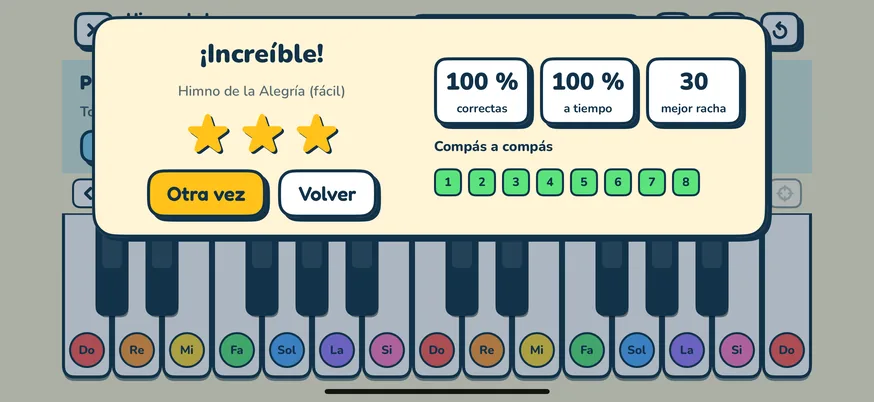
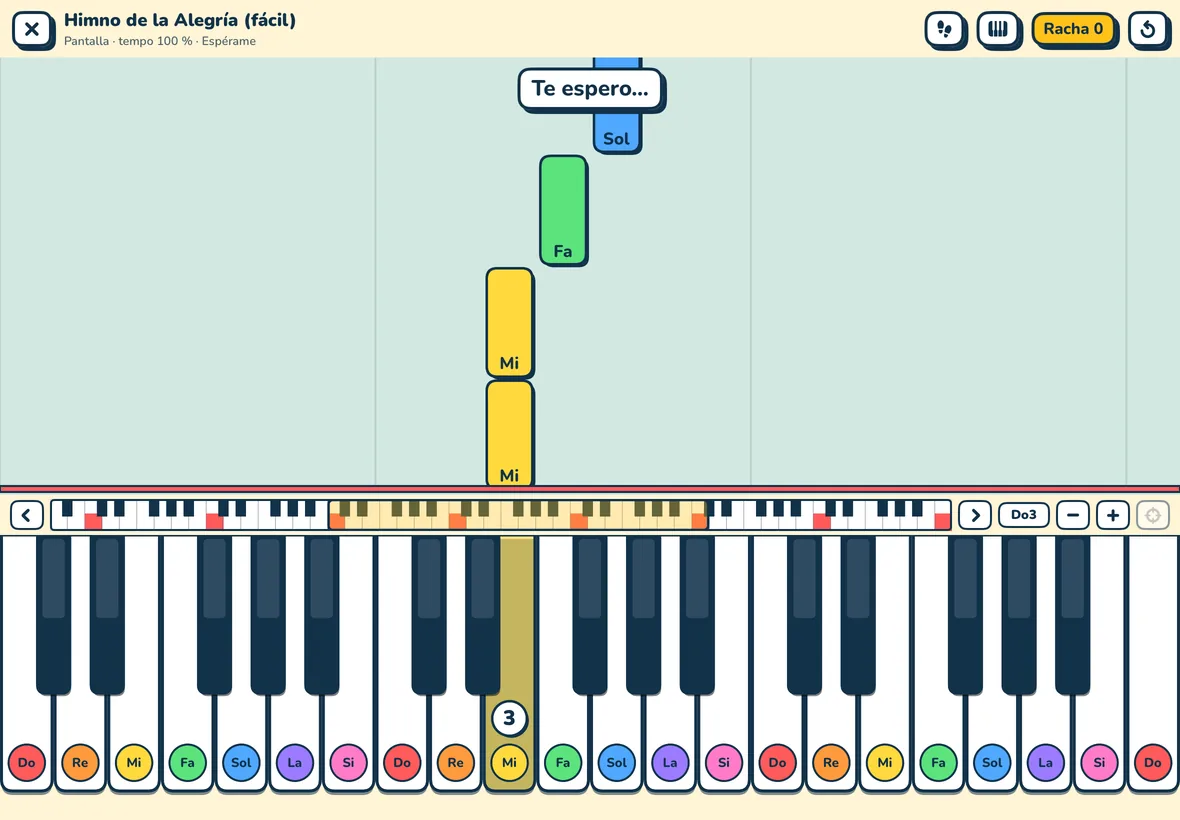
Game mode: coloured blocks fall towards the golden line and you play the key of the same colour just as they land. Streaks, hits and up to three stars at the end.

With “Wait for me” the song stops at the line (“Waiting for you…”) until you play the right note, so nobody gets left behind the first time.

Real clip Ode to Joy (easy) in the app’s Game mode.
Ode to Joy (easy)
Streak 0 0 of 30

Ready to play?

Play the key that matches the block’s colour when it reaches the line.

V Act five

Guided: the key waits for you

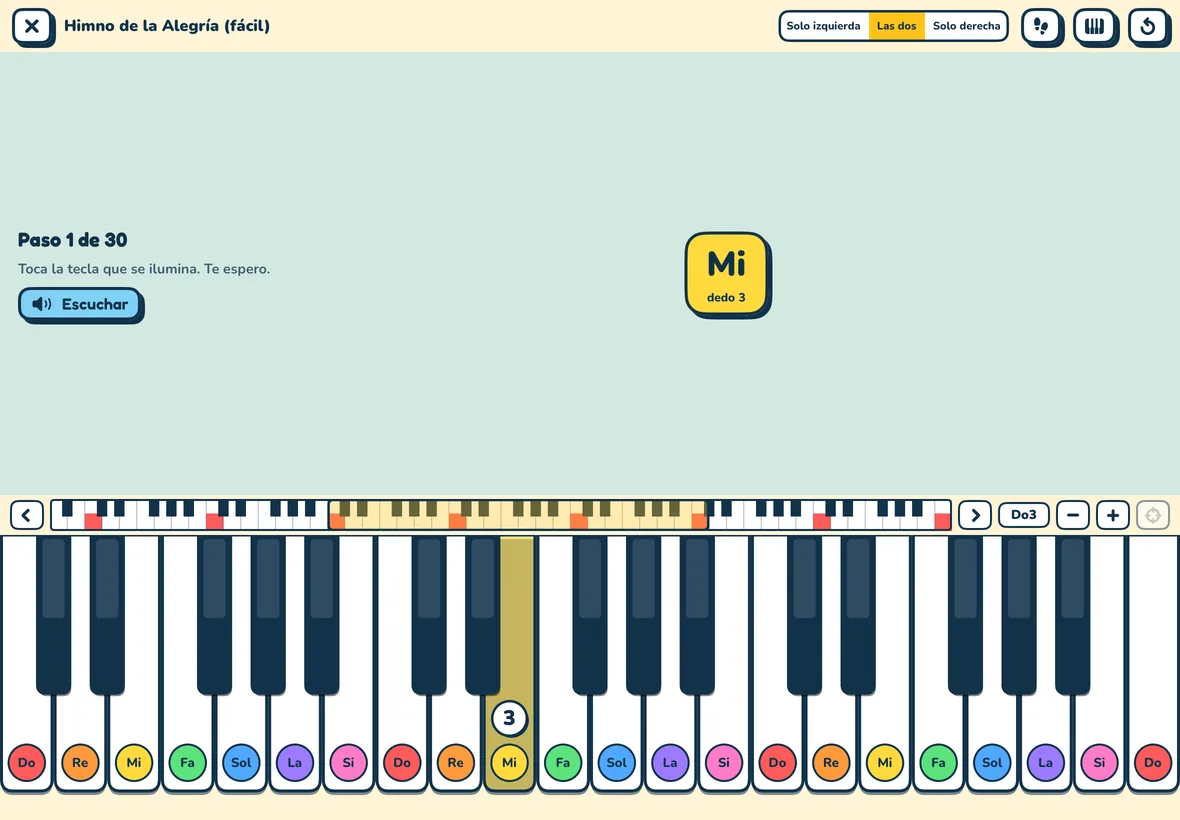
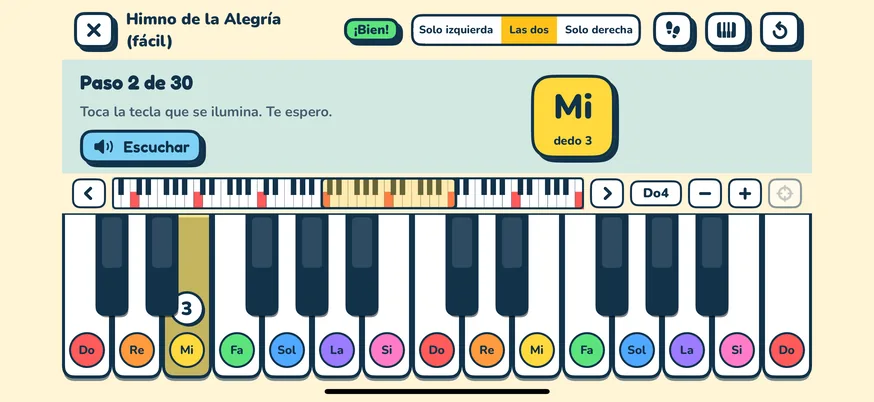
For day one. The app shows a single giant note and the finger that plays it; its key lights up and waits, no rush. Get it right, “Well done!”, and on to the next.

Here is the start of Frère Jacques, step by step.

Real clip Guided mode, really being played (sped up 1.5x).
Frère Jacques
Cfinger 1
Step 1 of 14

Play the lit key. The white number is the finger.

VI Act six

Sheet music in colour

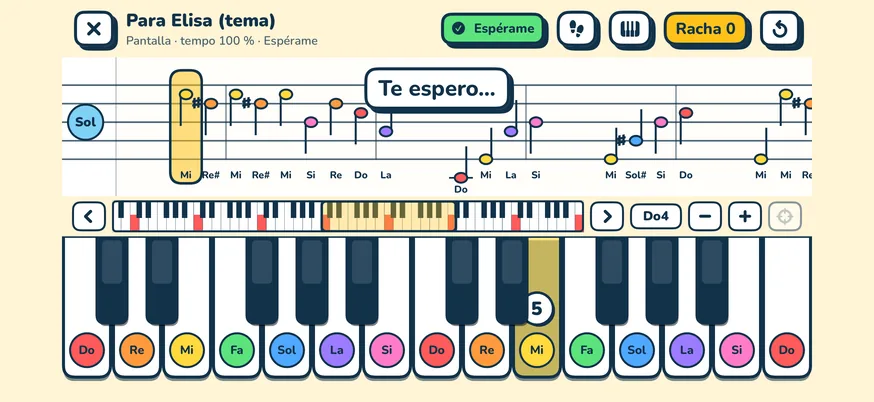
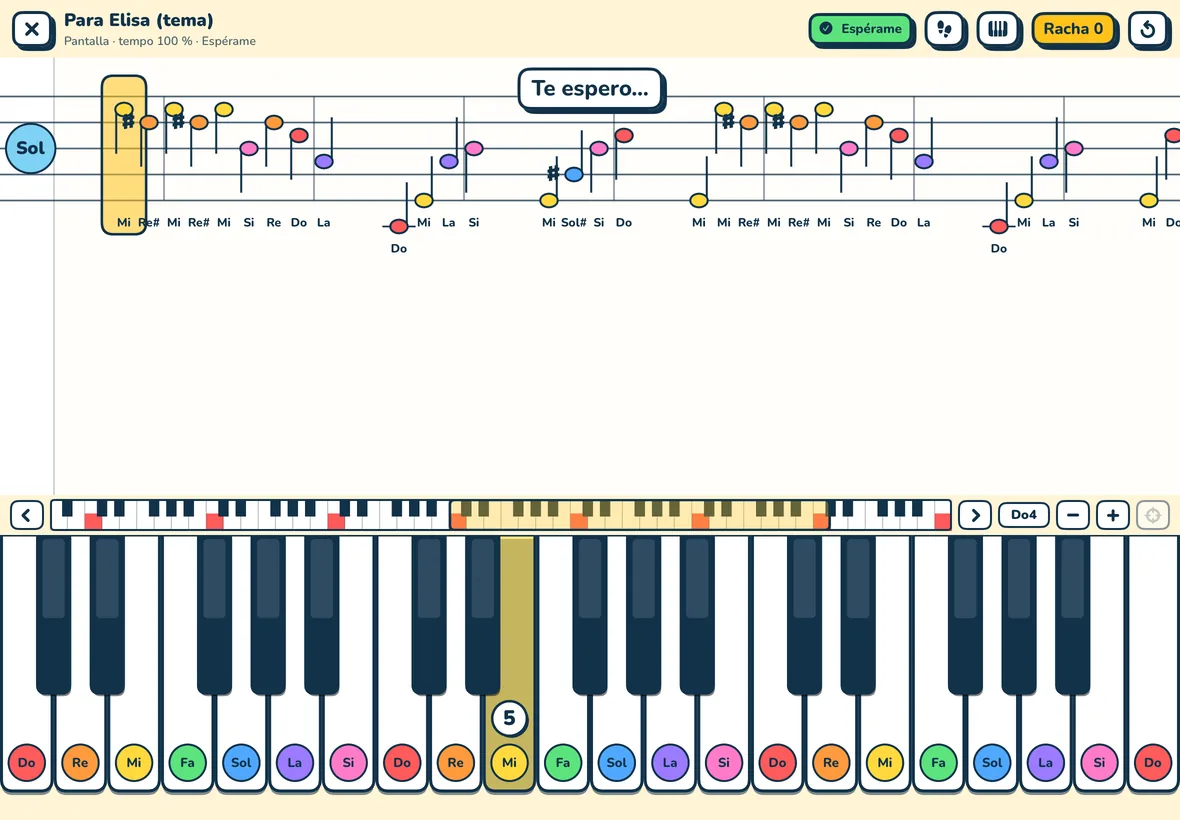
Once it sounds right, it is time to read. The staff scrolls along with every note painted in its colour and named underneath, so reading music starts with colours and moves on to positions.

Play the opening of Für Elise: the score waits until you get each note.

Sheet music mode for Für Elise on iPhone: staff with coloured, named notes.
Real screenshot Für Elise (theme) in Sheet music mode.
Für Elise (theme)
“Wait for me” is on

VII Act seven

One hand, the other, then both

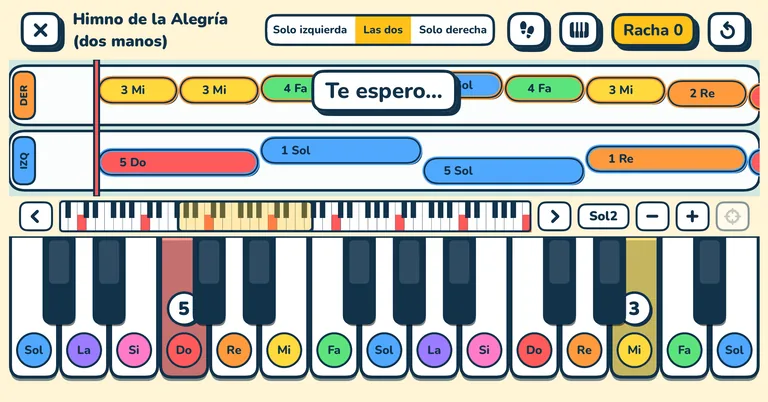
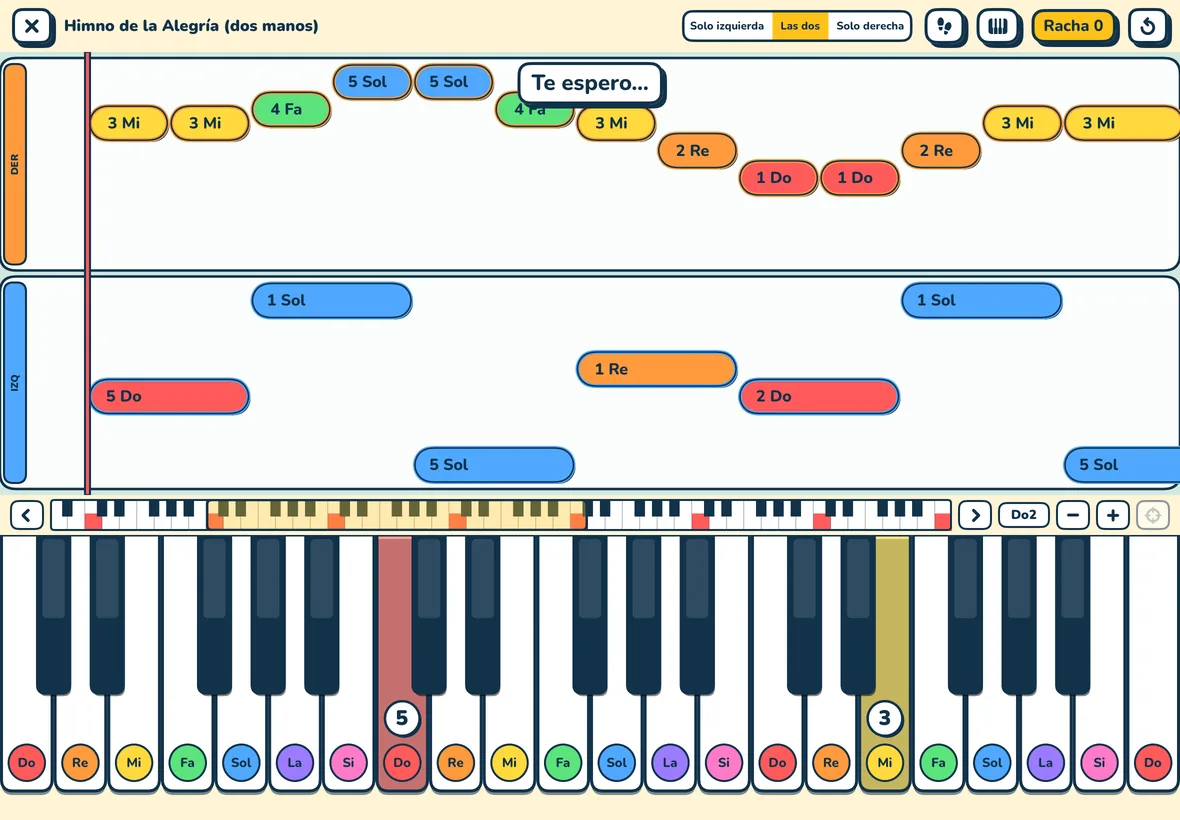
Two lanes: right hand on top, left hand below, with the finger and name of every note. Practise each hand on its own and, once they work, put them together.

Choose which hand you hear and watch how they share Ode to Joy.

Two hands mode on iPhone: right and left lanes with fingers and notes, and the hand selector.
Real screenshot Ode to Joy, two hands.
Ode to Joy (two hands)
R
L

In the app you play the chosen hand and pianazo plays the other.

VIII Act eight

From low notes to high notes

A phone fits two octaves and a tablet three, but a piano has 88 keys. The navigation bar shows the whole keyboard with a yellow window: drag it, or use the arrows, to go down to the low notes or up to the high ones.

Guided mode on iPad with three octaves and the keyboard navigation bar.
Real screenshot Three octaves fit on iPad.

IX Act nine

With your real piano

The screen is great for starting out, but a pianist belongs at a piano. pianazo listens to yours too, digital or acoustic.

Digital piano over USB or Bluetooth

Plug the piano in with a USB cable or pair it over Bluetooth MIDI. The app knows which key you play and how hard, and it can also sound on the phone or tablet if you like.

Got a digital piano connected to your computer? Try it on this page: your keys will play whichever keyboard is on screen.

Acoustic piano with the microphone

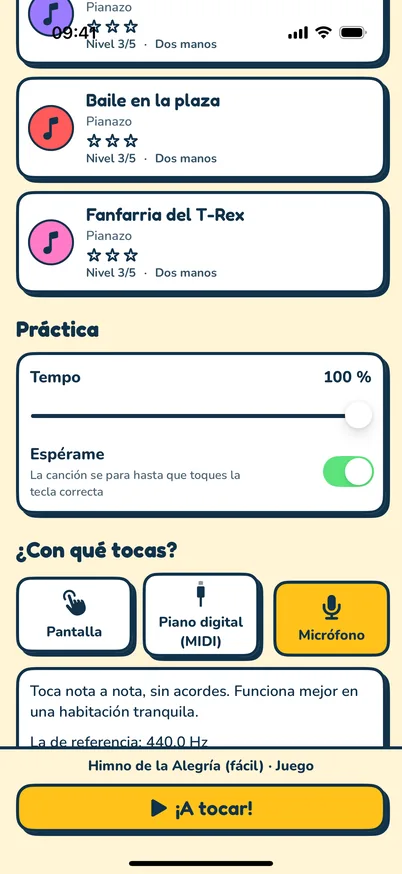
Stand the phone on the music rest: the microphone recognises the note you play, one melody line at a time, with adjustable tolerance and one-tap calibration (“play an A”).

The sound is analysed on the device itself. It is never recorded and never leaves the phone.

Microphone settings on iPhone: 35 cent tolerance and the Calibrate, play an A button.
Real screenshot Microphone input and calibration.

Backstage

How it looks on iPhone and iPad

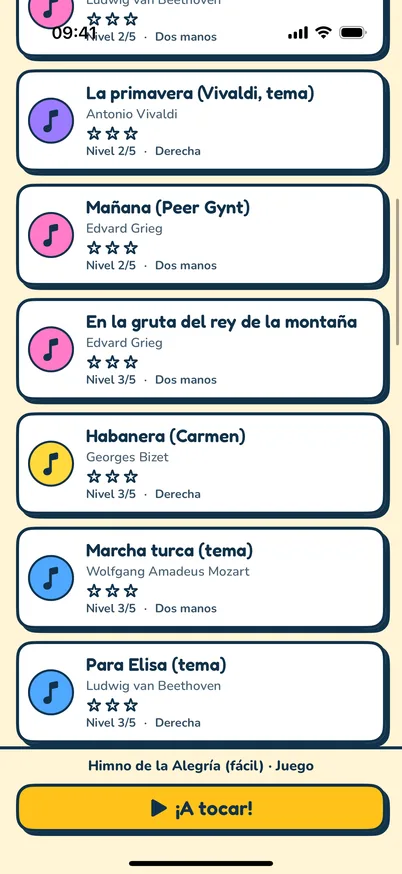
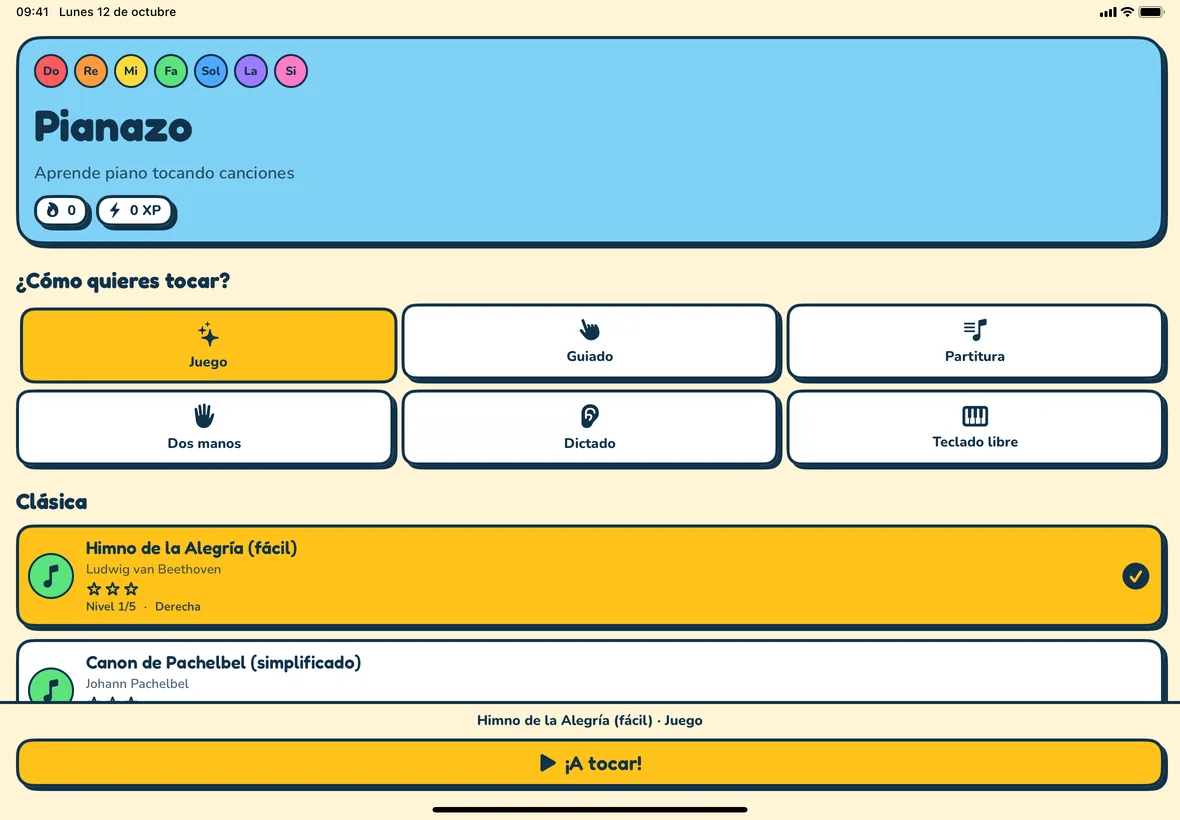
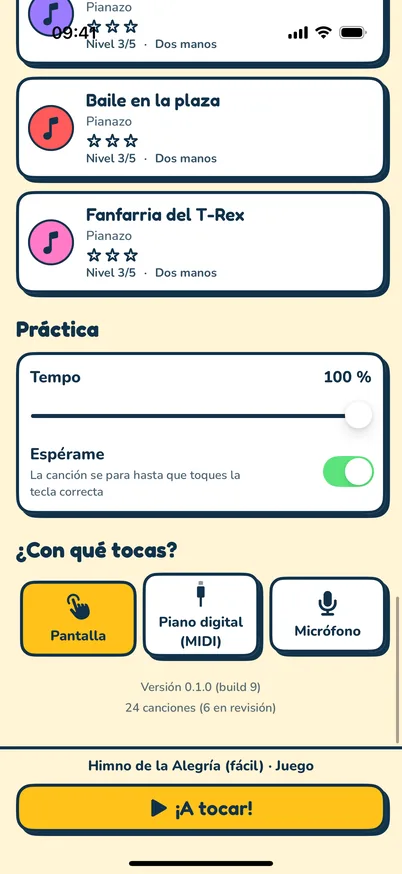
Real, untouched screenshots of the app: menus in portrait and playing screens in landscape.

For parents

What happens when you are not watching

A little while every day, a method that goes from a lit key to reading music, and nothing on screen to make you uneasy.

A method in steps

Guided first (one note at a time), then Game, Sheet music and Two hands. Ear training builds the ear. Tempo from 50 to 100 % and “Wait for me” so nobody gets frustrated.

Progress you can read

Up to three stars per song, bar-by-bar results in green and red with a practice tip, a daily streak and experience points.

No ads

Not a single ad. The app is for playing, not for keeping anyone glued to a screen.

Real privacy

No account needed, no advertising and no third-party analytics. Progress and recordings are stored on the device itself (an optional free parent account can sync progress), and the microphone is processed right there: sound is never recorded and never leaves it.

On the screens you already have

Android phones and tablets, with iPhone and iPad coming soon. Play on the screen, with a digital piano (USB or Bluetooth) or with an acoustic piano and the microphone.

Songs you know

24 checked songs, public domain or our own: children’s songs, classical, carols, Albéniz and six pianazo originals.

Ode to JoyFrère JacquesLos cinco lobitosAl corro de la patataFür EliseTurkish MarchPachelbel’s CanonLos peces en el ríoSilent NightAsturias (Albéniz)Dinosaur RacePirate March

You don’t need talent. You need a little time every day.

Questions from parents

Frequently asked questions

What people ask most before putting a phone or tablet on the music stand.

What age is pianazo for?

It is made for children aged 8 and up and for adults starting from scratch. Guided mode teaches one note at a time and waits patiently, so nobody needs to know anything before they start.

Do I need a piano to learn with pianazo?

No. You can play on the on-screen keyboard: a phone fits two octaves and a tablet three, and a bar lets you move across all 88 keys. If you have a piano at home, the app can listen to it too.

Does it work with a digital piano or keyboard (MIDI)?

Yes. Connect it with a USB cable (on iPhone or iPad, with the right adapter) or over Bluetooth MIDI. The app recognises every key you press and, if you like, also plays the sound on the phone or tablet.

What if I have an acoustic piano?

That works too: put the phone or tablet on the music stand and the microphone recognises the note you play. For now it recognises melodies one note at a time, not chords. You can adjust the tolerance and calibrate with a single note (“play an A”).

What about the microphone and privacy?

Microphone sound is analysed on the device to work out which note is playing and is discarded straight away: it is never recorded and never leaves the phone or tablet. Permission is only requested if you choose to play with the microphone. The app works without an account and has no advertising or third-party analytics. Progress and recordings are stored on the device, unless a parent creates the optional free parent account, which syncs progress with the pianazo servers.

Does it have ads?

No. pianazo shows no advertising of any kind.

Does it work on iPad and Android tablets?

On Android tablets, yes: it runs on Android phones and tablets with Android 8 or later. The iPhone and iPad version (iOS 17 or later) is coming soon to the App Store. On a tablet the keyboard shows three octaves.

Do I need to read music?

No. You start with colours and keys that light up (Guided and Game modes). Sheet music comes later, with every note painted in its colour and its name underneath, and Ear training builds your ear step by step.

Curtain up

The concert, at home

pianazo is on Google Play now.

Get it on Google Play

For Android phones and tablets, with iPhone and iPad coming soon.